Test Plans
Saved, replayable test plans — today's exploratory findings become tomorrow's regression suite.
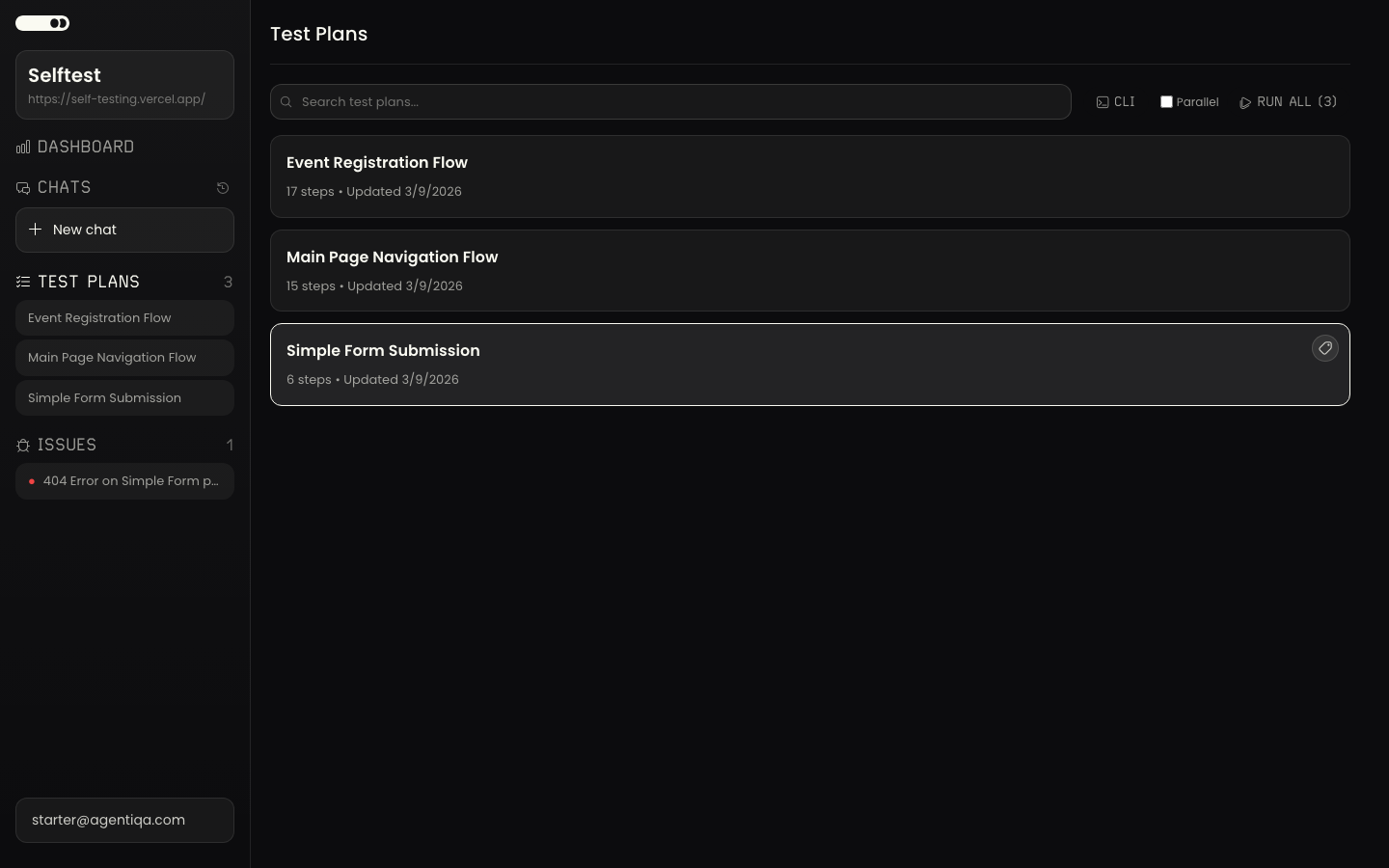
A test plan is a saved, replayable definition of something to verify. Plans are the deterministic counterpart to the exploratory Assistant: running one produces per-step pass/fail against defined criteria, so the same check can be repeated over time.
Where plans come from
Plans are created from real interaction — typically saved out of an exploratory session's findings, so they reflect UI the agent actually saw (not hallucinated steps). You can also edit a plan's steps directly.
Dynamic values
Some steps need a value that changes on every run: a record title your app requires to be unique, a search term that should match only what this run created, or a fresh sign-up address. Write one of these built-in tokens in the step text, and Agentiqa fills in the value during the run:
| Token | Replaced with | Example |
|---|---|---|
{{timestamp}} | The run's start time in Unix seconds (10 digits) | 1792000000 |
{{unique}} | The same instant as lowercase letters only, for fields that don't take digits | fuvlfoy |
{{unique-email}} | The run's own deliverable email address — use it as the whole value of an email field (see Testing mailbox) | — |
Type "Smoke order {{timestamp}}" into the Title field and save the order
Search the orders list for "Smoke order {{timestamp}}"
Verify exactly one order titled "Smoke order {{timestamp}}" is listed- One value per run.
{{timestamp}}and{{unique}}are resolved once when the run starts. Every step and every verify criterion in that run sees the same value, so a later step can find exactly what an earlier step created. The next run gets a new value.{{unique-email}}is likewise one address per run. Each plan in a batch is its own run with its own value, so a later plan can't recreate an earlier plan's value from the token: to reuse it, have the earlier plan save it to run memory (for example,Save the order title to run memory as order_title) and run the batch in sequence, which passes run memory from each plan to the next (see Parallel vs sequential). - Unique per start second.
{{timestamp}}and{{unique}}come from the second the run started, so two runs started in the same second get the same value. If you start several runs at once that create the same kind of record, stagger the starts by at least a second. - Exact spelling. Lowercase, no spaces inside the braces:
{{timestamp}}, not{{ timestamp }}or{{Timestamp}}. A token that is spelled differently may reach the agent as plain text instead of a value. - Prefer a token to asking the agent. Don't write "type a random number" or "use the current time". The agent can't guarantee a unique value: it may reuse a number from an earlier run, or type an example value written in the step as-is. A token is generated by Agentiqa, not by the model.
Running plans
- In the app — run a plan from the project and watch it execute; results land in Runs.
- Regression — run all saved plans in parallel (each gets its own browser) to check nothing broke. For each failure the agent classifies the cause: a real bug (behavior changed), a stale plan (the UI changed but the functionality is intact — the plan needs updating), or a flake (timing/intermittent).
- In CI — run plans headless with the CLI
runcommand or the GitHub Action. Select plans by id (--plan-id) or by label (--label-ids), sequentially or in parallel.
Selecting plans in automation
agentiqa run with no selector runs all non-deleted plans in the project. Use
--plan-id for one plan, or --label-ids a,b to run every plan tagged with any of
those labels. Group plans with Labels to run a named subset
(e.g. smoke) per pipeline; see the CLI reference for every
flag.