Settings
Project and account configuration — target URL, credentials, memory, and CLI service keys.
Settings cover both the current project and your account.
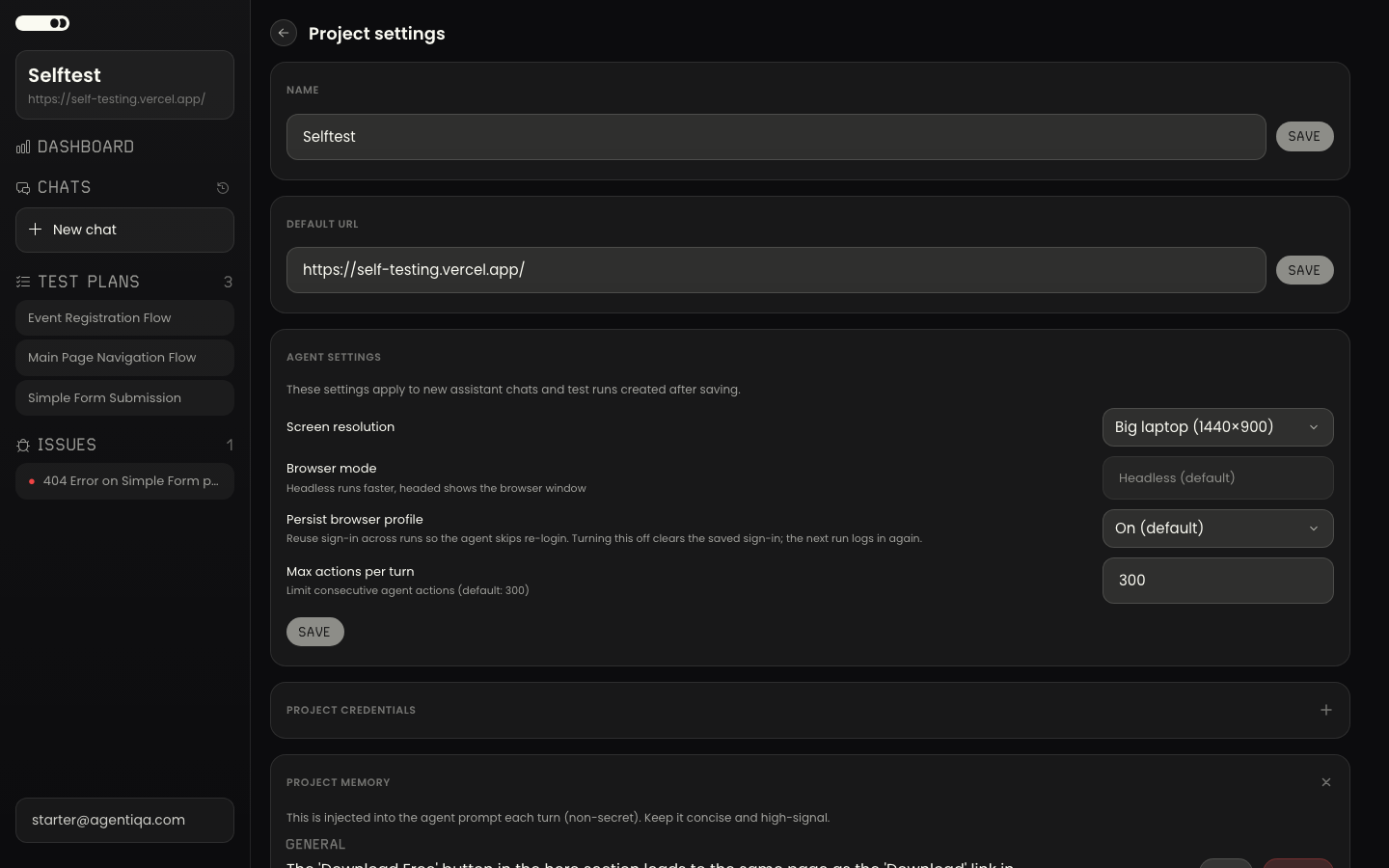
Project settings
Per-project configuration lives in the project's settings — the default target URL, saved credentials the agent can use to reach pages behind a login, project memory, and CLI Service Keys for running the project's plans in automation.
Credentials you save here let the agent authenticate into your app during a run; project memory holds human context the agent can't discover on its own and is only written when you explicitly ask.
Project credentials
A credential is the identity a signing-in plan uses. Each one is saved with a Login, a Password and an optional Role — the name the plan looks up — and stored encrypted; the values are never sent to the AI model.
Every credential has a visibility:
- Only me — private to you. Nobody else can read it, on any project.
- Whole team — a shared account the whole project can run with, added by the project owner or an organization admin. Several accounts under one role let several runs sign in at the same time.
When a plan asks for a name, your own credential is used if you have one, and otherwise a free shared account of that name. See Shared accounts.
Sharing the project
On the Company plan, a project's owner gets an Organization section with a Share with organization switch. Turning it on gives every member of the organization run and edit access to the project's test plans, runs, issues and labels, while project settings, files, service keys and deletion stay with the owner. See Team projects.
Account settings
Account-level settings apply across projects.
CLI service keys
A service key lets an unattended job (CI) run a project's plans without an
interactive login. Interactive use does not need one — agentiqa login can run
any project you can reach. See CLI Service Keys.