Team projects
Share a project with your organization — everyone runs and edits the same test plans, and every run and edit carries the name of who did it.
By default a project belongs to the person who created it. On the Company plan, an owner can share it with their whole organization: every member gets full run and edit access to the project's test plans, and every action is recorded against the person who took it.
Turn sharing on
Sharing is a per-project switch, and only the project's owner sees it.
- Open Project Settings → Organization.
- Set Share with organization to On.
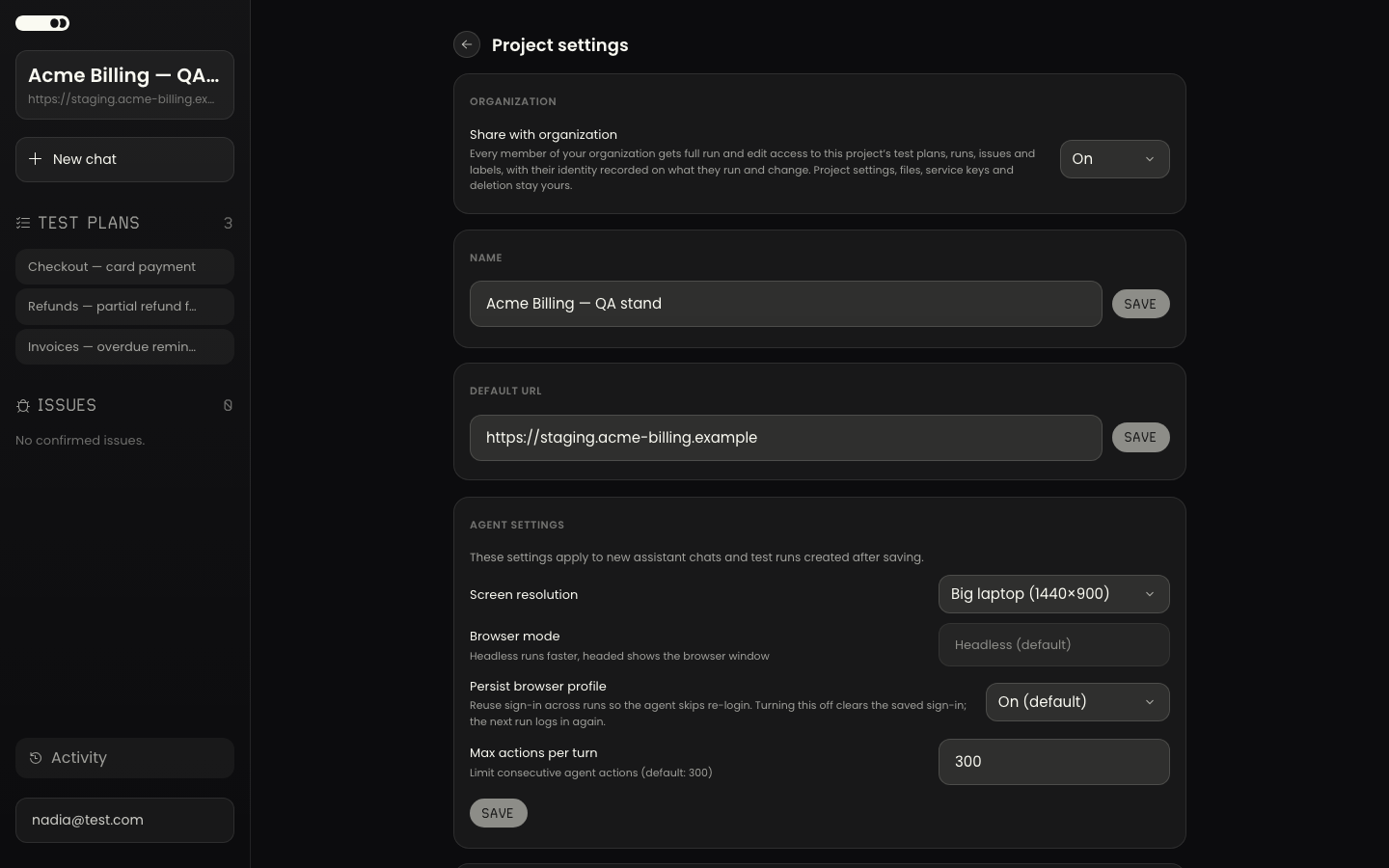
The control appears only when your account is an active member of a Company-plan organization. If sharing does not take effect, the settings page says so explicitly rather than silently failing.
Nothing changes for a project until its owner turns this on — sharing is off by default, project by project.
What a member gets
A shared project appears in the member's own project list, marked Shared · org.
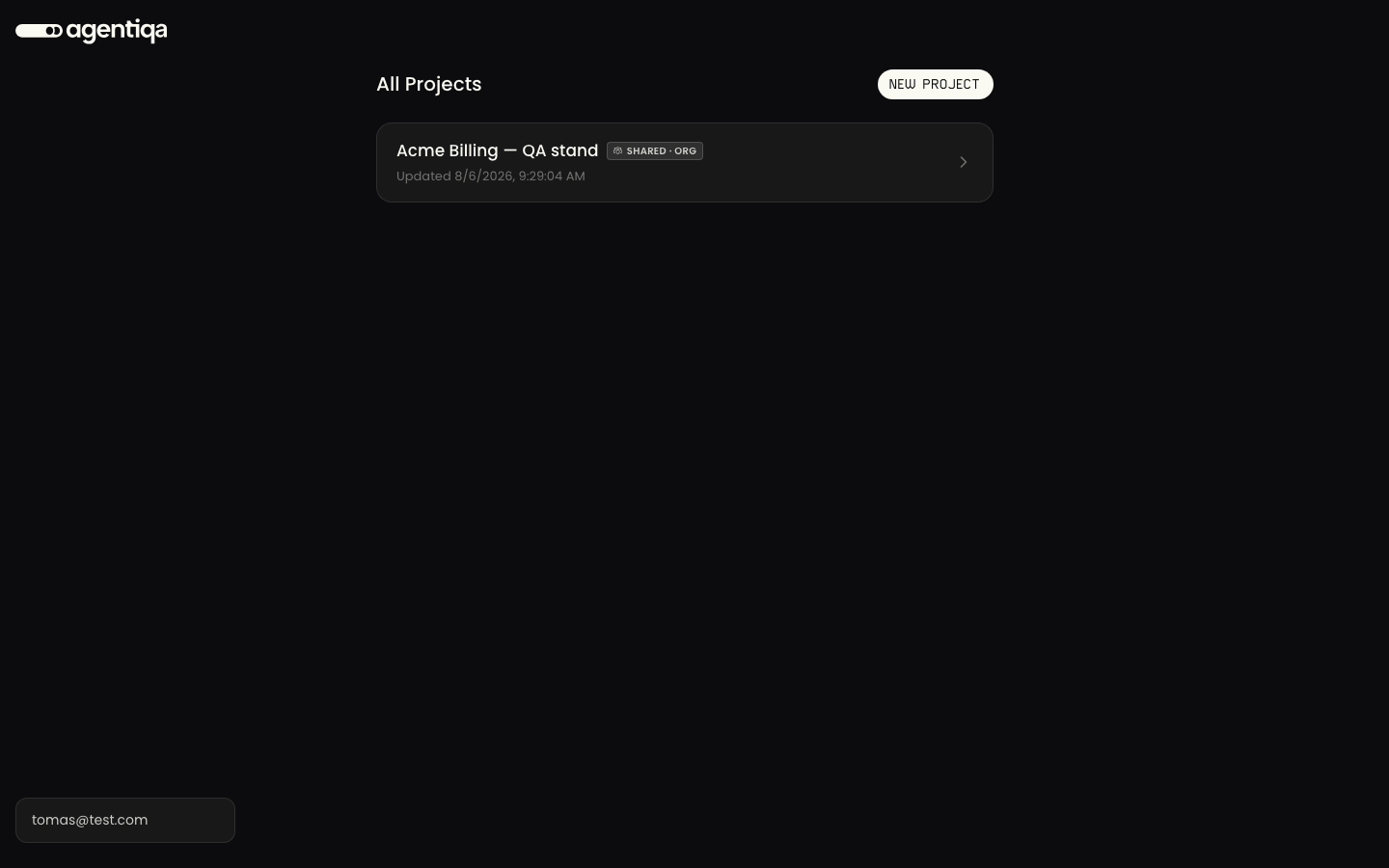
From there they can:
- open and edit the project's test plans;
- start runs and open every past run, with its steps, verdict, video and screenshots;
- work with the project's issues and labels;
- read the project's app map.
The owner keeps the things that define the project: its name and target URL, agent settings, Project Files, CLI service keys, and deleting the project. Members see a Shared with you note on the settings page instead of those sections.
Two things are deliberately never shared: project memory and personal credentials. A teammate's stored login is theirs alone — see Shared accounts for how a team signs in without handing passwords around.
Everything is attributed
Sharing a workspace is only useful if you can tell who did what.
- Runs carry the person who started them, so a run list on a shared project reads as a team history rather than an anonymous one.
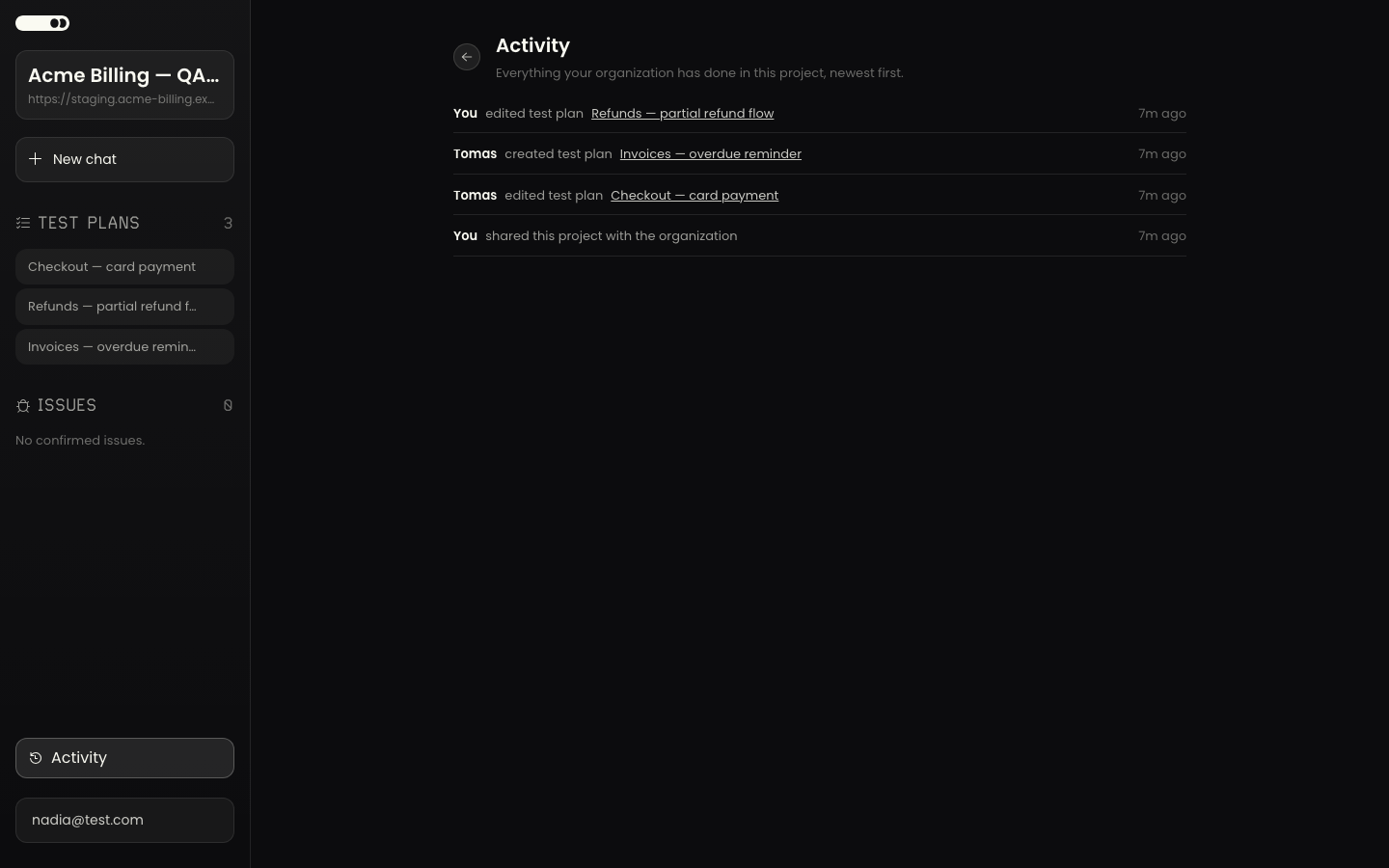
- Test plans show who last edited them. Opening a plan is not an edit — only a change to the plan's own content re-stamps it.
- Activity is a project-level feed: "Everything your organization has done in this project, newest first." It records plans created, edited and deleted, runs started, and the share switch itself, each with a name and a timestamp. Open it from the project's sidebar.
Names are resolved only inside your own organization. An actor the app cannot resolve — someone who has since left, or an action from before sharing — shows as a teammate rather than a raw id.
Working from the CLI and coding agents
A shared project is not web-only. A member runs agentiqa login once and can then
run the project's plans from the CLI or from their coding agent via
the agent skill — no service key to mint or pass around, and
the run is still attributed to them personally.
Service keys remain the right answer for unattended automation (CI), where there is no person to log in.
Turning sharing off
Set Share with organization back to Off. Members lose access immediately; the project's data is untouched, and anything they created inside it stays with the project. Their own stored credentials remain private to them and simply become unreachable along with the project.